If you already group solids and punch holes in Tinkercad, those same operations live in Rig Cad's Objects tree as union and difference. Simple parts stay grouped here. Give a size a name only when it has to follow another size.
What you will learn: where Tinkercad's UI maps onto the five panels; how group and hole appear in the Objects tree; a mounting tab built the same way; and a tray you can group or size from measurements.
If the editor is new, keep Rig Cad Editor Guide: The Five Core Panels open in another tab.
If you already think in group and hole
This page is a translation, not a fork in the road. The habits you already have are enough to start:
- group solids → union
- hole, then group → difference
- type a number into a box → a literal, or a named variable
Build the simple part here. Add names when a hole, wall, or rounded end should track another measurement, or when someone else needs to type a width.
Where Tinkercad's tools live
Table: Tinkercad UI next to Rig Cad panels.
| In Tinkercad | In Rig Cad |
|---|---|
| Shapes panel | Add Object |
| Inspector (width, height, hole) | Properties |
| Group / Hole / Ungroup | Objects tree: union, difference, and child order. The tree stays open; you do not ungroup to edit. |
| Hole checkbox on a solid | That solid is a Difference child, not a color |
| Align / Duplicate | Move and copy nodes. Child order still decides who is the body and who is the hole. |
| Duplicate and repeat (Ctrl+D pattern) | A Linear or Radial Repeat with a count; see Repeats and Arrays |
| Workplane on the floor | The default floor is XY; +Z is up |
| Workplane dropped on a face | A local frame on that face. Parent the next solids to it. |
| Export (STL, OBJ) | Download from the project or the embed; Export for the Slicer covers the formats |
| Variables in Codeblocks only | Variables, on any project, when a number should have a name |
Dropping a workplane on a face and building from there is what Transforms and Reference Frames in Rig Cad calls a parent frame; that article is the one to open when a moved part takes its holes with it, or does not.
You can ignore Variables on a first part. Type literals in Properties the way you type sizes in the inspector.
The operations are the ones you already know
Group and hole are union and difference. Rig Cad writes that sentence in the Objects tree.
Table: Familiar habits next to Rig Cad operations.
| Familiar habit | Rig Cad operation | What it records |
|---|---|---|
| Group solids |  Union Union |
Keep volume that is inside any child |
| Hole, then group |  Difference Difference |
Keep the first child; remove the rest |
| No Tinkercad equivalent |  Intersection Intersection |
Keep only the shared volume |
| No Tinkercad equivalent | 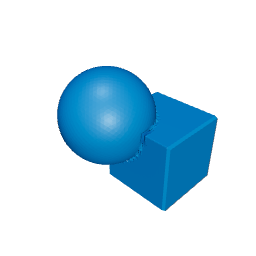 Symmetric difference Symmetric difference |
Keep what is in one solid but not both |
| No Tinkercad equivalent |  Hull Hull |
Smallest convex solid around the children |
All five live on one Operation selector, so switching from group to hole is a dropdown, not a rebuild. Switch the operation on the same two solids. The recipe stays visible.
Literals first, names when a size must follow
A plate 8 thick with a hole cylinder at 10 is a finished part. Type those as literals.
When the plate becomes 12, the cutter has to change with it. That is the moment a name earns its keep:
partThickness   = 8
holeDiameter    = 10
cutterOvershoot = 2
cutterDepth     = partThickness + 2 * cutterOvershoot
partThickness and holeDiameter are choices. cutterDepth is derived. The hole stays a through-hole when thickness changes.
The mounting tab below is box, rounded end, hole. Build it as a group. Then drag partThickness if you want the cutter to follow.
A tray is still a group
Outer box, inner cavity, divider walls. That is a difference and a union. Build it here the same way you would group it.
Measurements are available if the tray has to fit a drawer: trayWidth, trayDepth, trayHeight, wallThickness, compartmentCount, cornerRadius. Divider count and spacing are derived from those.
Try wallThickness at 1.6 mm and look at the floor. That check belongs in the model, not only in the slicer.
What maps, and what you can add
Table: The same constructions, with the tree and optional names.
| Task | Familiar habit | In Rig Cad |
|---|---|---|
| First solid | Drag, group, hole. | Same operations in the Objects tree. |
| One-off part | A grouped solid. | A grouped solid. Build it here. |
| Same part, new size | Stretch and regroup. | Stretch, or change a named input. |
| Sharing | A model. | A model, or a configurator. |
| The recipe | Hidden inside the group. | Visible in the tree. |
Next
The operations are already familiar. Constructive Solid Geometry in Rig Cad is how to write the tree so it stays editable.
If a hole misses after a transform, Oversize the Cutter is the stretch-the-hole habit, written as an expression. Hollowing a solid, mirroring one half, or slicing a model flat is not a hole: it is a step in Post-Processing in Rig Cad, and hollowing has its own walk-through in Shell, Hollowing, and Wall Thickness. Rounded edges, which Tinkercad gives you as a shape parameter, are the subject of Fillets and Chamfers. Beyond Sliders is for constrained families.
Arriving from a different tool? The same map exists for Fusion 360, OpenSCAD, Onshape and SolidWorks, and Blender Geometry Nodes.
Comments
Loading comments...