If you already write union, difference, and modules in OpenSCAD, you already know this editor. The Objects tree is the program: same operations, same child order, same variables. A one-off tab is a valid first project here. You do not keep the simple script in another window.
What you will learn: how OpenSCAD operations map onto the tree; where variables and
$fnlive; the mounting-tab script as a visible tree; and a tray whose Customizer sliders are Variables.
If the editor is new, keep Rig Cad Editor Guide: The Five Core Panels open in another tab.
If you already think in CSG expressions
OpenSCAD is a language for constructive solid geometry. Rig Cad evaluates the same language as a tree.
The habits you already have are enough to start:
union()/difference()/intersection()→ an operation node and its childrencube(),cylinder(),sphere()→ primitives under Add Objecttranslate/rotate/scale→ the node's transform- a variable at the top of the file → a Variable
- a
module→ a named parent you can move as one feature - a
forof copies → a repeat; Parametric Repeat exposesinstance.iandinstance.tso each copy can differ, like the loop index
Type literals on a first part. Name them when a hole or wall should track another measurement.
Where the script lives in the editor
Table: OpenSCAD next to Rig Cad.
| In OpenSCAD | In Rig Cad |
|---|---|
The .scad file |
Objects tree |
cube / cylinder / sphere |
Add Object |
union / difference / intersection / hull |
Operation node; child order is argument order |
translate / rotate / scale |
Properties transform |
| Assignments at the top of the file | Variables; the function list and the degrees-versus-radians rule are in Expressions and Variables |
| Customizer | Exposed Variables on a project or embed |
$fn |
segments on the primitive |
for (i = [0 : n-1]) |
Linear, Radial, or Parametric Repeat; see Repeats and Arrays |
linear_extrude / rotate_extrude / offset() |
Extrude, Revolve, and the Path Op offset on a 2D profile; see Sketches to Solids |
minkowski() |
Minkowski node (Operations 3D → Modifiers) |
text() |
Text as Geometry |
include / use |
A named subtree you reuse |
| F5 preview | Viewport |
| Export STL | Download from the project or the embed; see Export for the Slicer |
Difference is still ordered. The first child is the body you keep. Later children are cutters. That is difference(keep, cut, cut), not a bag of solids.
The first tutorial is the Objects tree
OpenSCAD's first chapter is two solids and an operation. That playground is here.
Table: OpenSCAD operations next to Rig Cad.
| OpenSCAD | Rig Cad operation | What it records |
|---|---|---|
union() |
 Union Union |
Volume inside any child |
difference() |
 Difference Difference |
First child minus the rest |
intersection() |
 Intersection Intersection |
Volume shared by every child |
| (no OpenSCAD primitive) | 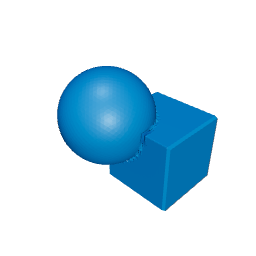 Symmetric difference Symmetric difference |
In one child but not both |
hull() |
 Hull Hull |
Convex envelope |
Switch the operation on the same two solids. You are still writing CSG. The tree is the pretty-printer.
A module is a named parent
The mounting tab you would write as:
partThickness = 8;
holeDiameter  = 10;
cutterOvershoot = 2;
cutterDepth = partThickness + 2 * cutterOvershoot;

difference() {
  union() {
    base();
    roundedEnd();
  }
  holeCutter();
}
In Rig Cad that is a difference whose first child is a union, with partThickness and holeDiameter as Variables and cutterDepth as an expression. The hole stays a through-hole when thickness changes. Same script, readable without opening a buffer.
A one-off tab does not need the variable block. Type 8 and 10 on the nodes. Name them when the second size has to stay a through-hole.
Customizer is exposed Variables
A tray with trayWidth, compartmentCount, and a derived divider pitch is an OpenSCAD Customizer file. Here those names are Variables. Divider count and spacing are expressions, the same as dividerCount = compartmentCount - 1.
Outer box, inner cavity, repeated walls: difference plus a repeat. Build that as a script or as a tree. Both are CSG.
Try wallThickness at 1.6 and look at the floor. That is an assert you can see.
What maps, and what you can add
Table: OpenSCAD habits next to Rig Cad.
| Task | OpenSCAD habit | In Rig Cad |
|---|---|---|
| First solid | A primitive and an operation. | A primitive and an operation. |
| One-off part | Literals in the script. | Literals in Properties. |
| Same part, new size | Edit a variable; F5. | Edit a Variable. |
| The program | The .scad file. |
The Objects tree. |
| Sharing | A script, or an STL. | A project, a mesh, or a configurator. |
FreeCAD's part design tree and its spreadsheet-driven parameters map onto the same two ideas, so this page covers that migration too: read "module" as "body" and "Variables" as "spreadsheet cells". The CSG operations are the shared language in both directions.
Next
You already write the operations. Constructive Solid Geometry in Rig Cad is how the tree stays editable once it is more than one module.
If a hole leaves a cap after a transform, Oversize the Cutter is h = t + 2*eps, written on the cutter. translate inside translate is a parent frame; Transforms and Reference Frames is that chapter. offset(), minkowski() for rounding, and the mirror-half habit map onto Post-Processing in Rig Cad and Fillets and Chamfers. Beyond Sliders is for constrained families.
Arriving from a different tool? The same map exists for Tinkercad, Fusion 360, Onshape and SolidWorks, and Blender Geometry Nodes.
Comments
Loading comments...